macOS product · RC2
Kuro Desktop Organizer
From a wallpaper system to a real macOS app: one place to design the background and keep the Desktop organised.
The project
Background, layout and icons work as one system.
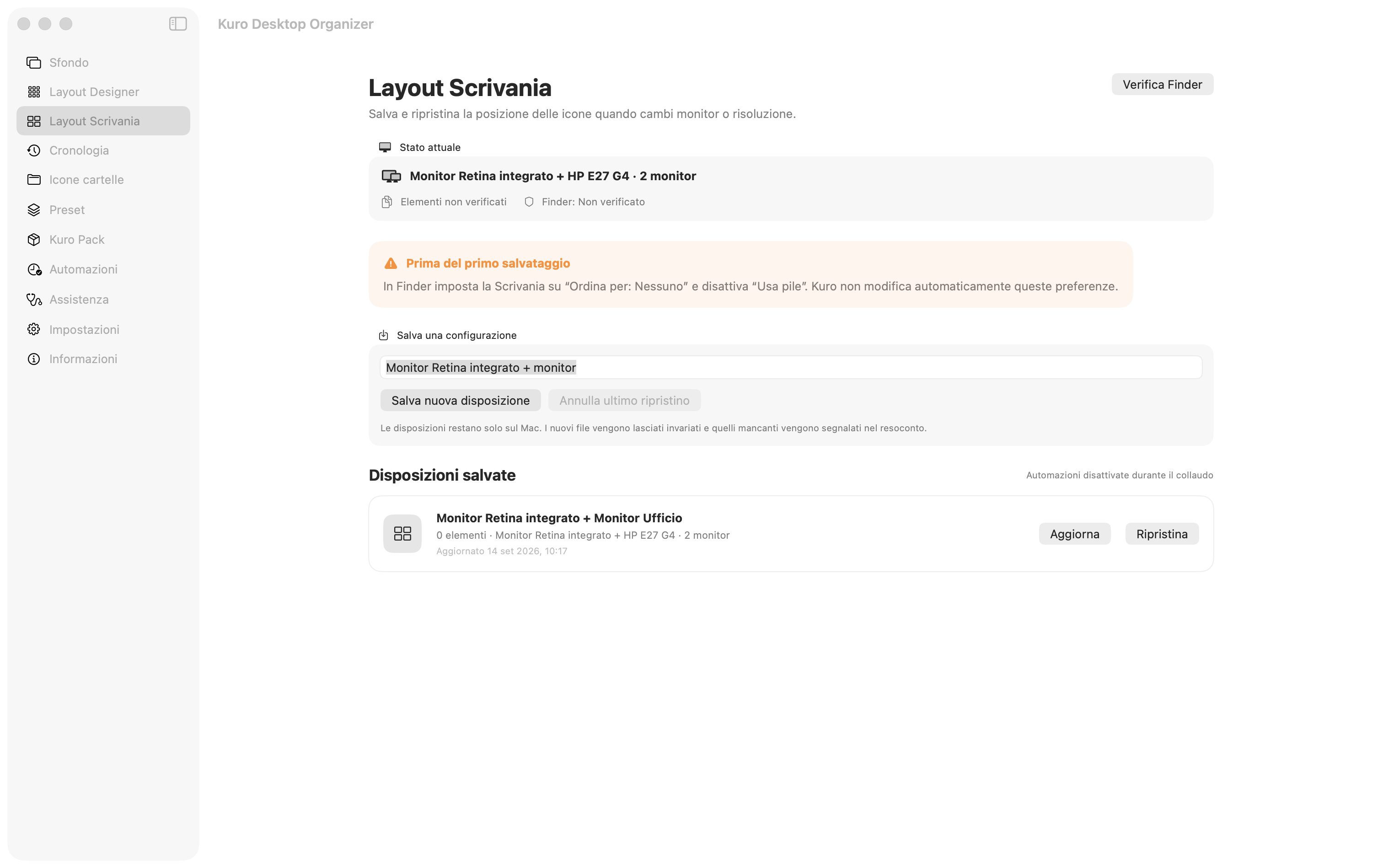
Kuro recognises connected displays and Mac safe areas, lets people build organisational wallpapers, and saves Desktop icon positions. Configurations can be restored when the setup changes, without moving, renaming or deleting files.
- Version
- 1.0.0 · build 101
- Platform
- macOS · Apple Silicon
- Status
- RC2 under local testing
Product principle
Visual order becomes an operational tool.
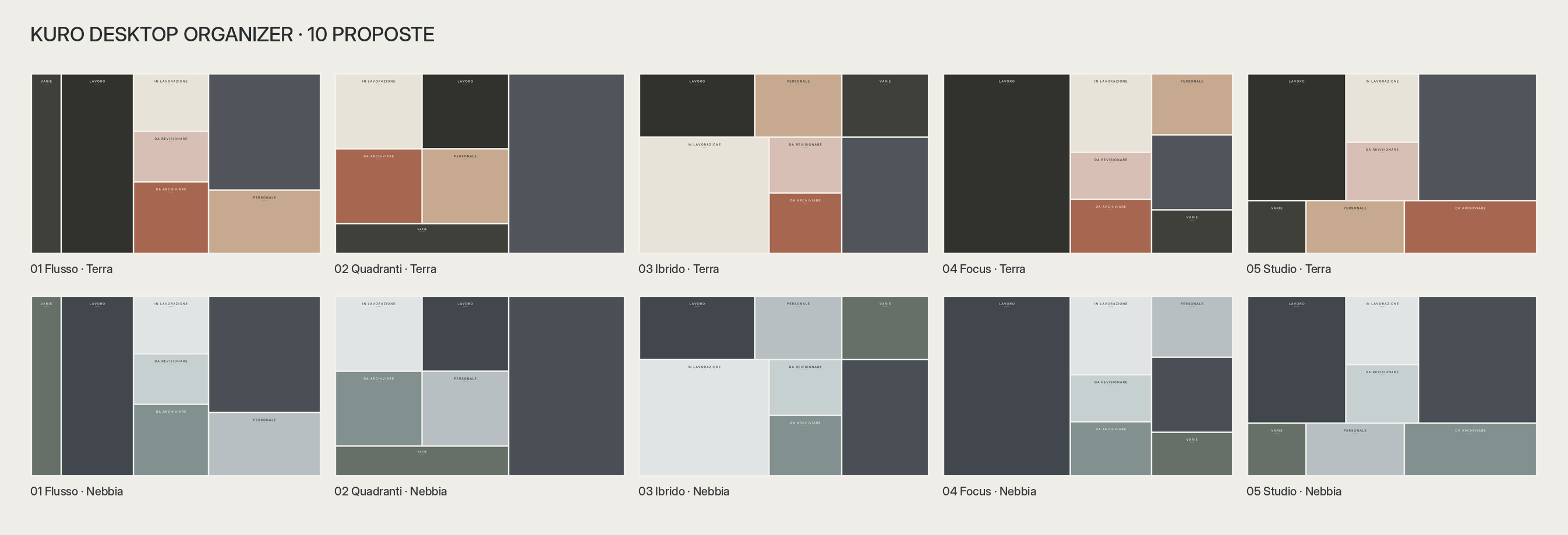
The interface connects wallpaper design with Desktop management. Labels, colours, margins, dividers and safe areas remain editable; preview, history and restore actions keep every change controlled.
Features
Five modules, one continuous workflow.
- 01Background
Create, apply and restore wallpapers tailored to each display and its safe areas.
- 02Layout Designer
Resize areas, labels, colours, margins and dividers with a live preview.
- 03Desktop Layout
Save and restore icon positions across one or more displays.
- 04Presets & Kuro Pack
Reuse and share complete configurations without rebuilding them.
- 05Continuity
History, folder icons, menu-bar access and automations keep the system maintainable.
The system
Change displays without losing order.
Kuro records the display configuration and icon coordinates. If the setup changes, it offers proportional mapping and preserves an undo snapshot before restoring. The app only changes positions managed by Finder.
- 1–N
- managed displays
- Live
- layout preview
- 101
- current build
- 0
- files moved or deleted
Release status
The RC2 is locally verified; public distribution remains separate.
Build 1.0.0 (101) for Apple Silicon passes compilation and DMG integrity checks. The beta available here is locally signed; the latest RC2 will stay out of the public download until Developer ID signing and Apple notarisation are complete.
Download the macOS beta · 4.4 MBLocal, non-notarised beta. macOS may require choosing “Open” from the context menu.